Image pixelator.
Make a photo into crisp color blocks. Compare the result, then download full-size or tiny-grid PNG.
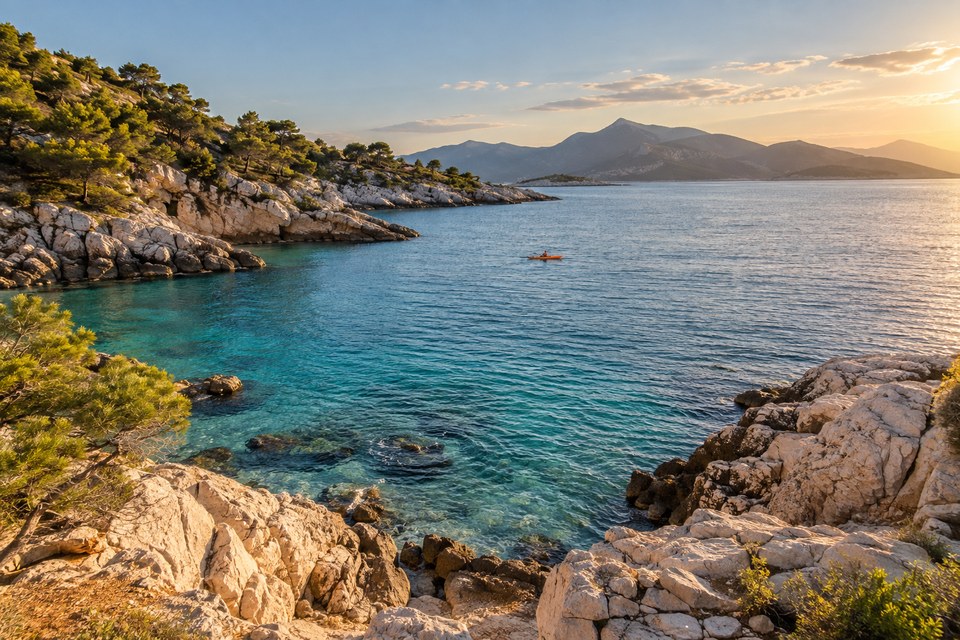
Example source. Select Try demo to edit it.
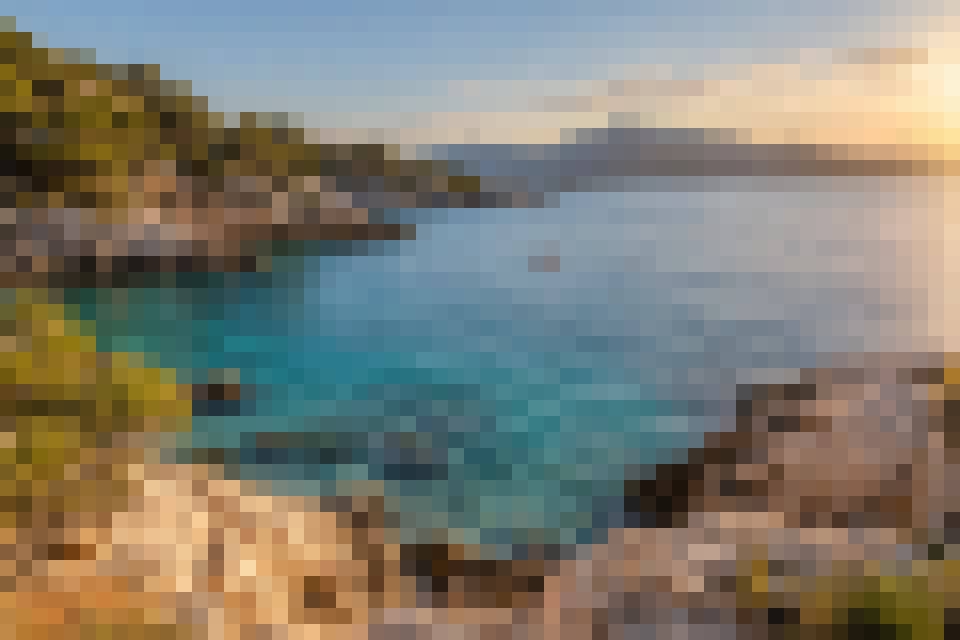
Actual result using the default settings.
Preview uses your decoded image. Downloads keep the dimensions shown above.
A clear way to pixelate an image
- Choose a static PNG, JPEG or WebP image. You can also drop a file into the import area.
- Adjust the pixel block size. A 16 px block averages a 16 × 16 region into one color; edge blocks may be smaller.
- Use brightness, contrast and saturation to fine-tune the colors. Check the original and result side by side.
- Download a full-size PNG for crisp blocks at the original dimensions, or a reduced PNG with one pixel per block.
Useful details
What is the difference between the two downloads?
Full-size PNG keeps the image dimensions and alpha channel. Reduced PNG has dimensions ceil(width ÷ block size) by ceil(height ÷ block size); each block becomes one pixel. Enlarge that file with nearest-neighbor scaling for sharp pixel edges.
Can I hide sensitive information with this?
No. This is a visual effect for the whole image, not a secure redaction tool. Pixelated text or faces may still reveal information. Remove sensitive information with a dedicated irreversible redaction workflow.
Does this create professional pixel art?
It creates a block-color effect from an existing image. It does not draw new details, restrict the result to a custom palette, or replace hand-authored pixel art.
Which images can I use?
Static PNG, JPEG and WebP images up to 20 MB, 12 million pixels, and 8,000 pixels per side. Animated GIF, APNG and WebP are rejected rather than silently flattened. HEIC, AVIF and SVG are not supported in this version. JPEG orientation metadata is applied when decoding.
Choose the right pixel export
For a poster or a social image
Use full-size PNG. A 960 × 640 image with 16 px blocks stays 960 × 640, so the block edges remain crisp.
For a small grid of color
Use reduced PNG. The same example becomes 60 × 40 pixels. Enlarge with nearest-neighbor scaling to retain the grid.
For sensitive text or faces, use irreversible redaction instead. This effect is a visual treatment.
Make a pixel effectPrivate by design
Image processing happens in this browser tab. Your images are not sent to a server, saved in browser storage, or used for training. Downloads go to your device. Clear removes the current image from the editor; closing the tab ends the session.
The host serves the app files and may keep standard request logs such as IP address and user agent. No analytics, cookies or remote fonts are included in this application.
About this tool
BLOCK is an independent, free utility for static images. It has no affiliation with photo-editing software or image platforms. Processing and PNG/JPEG encoding use browser APIs; browser color management and JPEG re-encoding may change colors or metadata. Exports do not retain source EXIF metadata.
No account, subscription or watermark. Use images you have permission to edit.
The coastal sample was generated with AI for this tool. The example result is produced by this app using its default settings.